
How to Follow Up With Prospects After Hosting an Event
Hosting events is one of the most effective go-to-market channels available. The attendees are full of people who already know who you are and what you do. That advantage however fades within days, so it’s crucial to follow up while the event is still fresh.
Example sequences you can run with your attendee list
1. Split the RSVP list by who actually showed up.
Send different messages to the people who attended and the people who couldn't make it.
For people who came:
Great meeting you at [event]. [One specific thing from the night.] Curious how you're thinking about [topic] at [company]?
For people who registered but couldn't make it:
Saw you'd signed up for [event] but couldn't make it. Here's the recording: [link]. Hope you can join the next one!
This way, you'll warm up the account and be a familiar face the next time you reach out.
2. Filter the list down to your ICP, then go deeper on those people.
Event lists are warm but may be noisy. Competitors, job seekers, and curious peers may be registered. Filter to the list to people who actually match your ICP and give that subset real effort: connect on LinkedIn, reference the event in the note, and run a proper outreach sequence rather than a single follow-up.
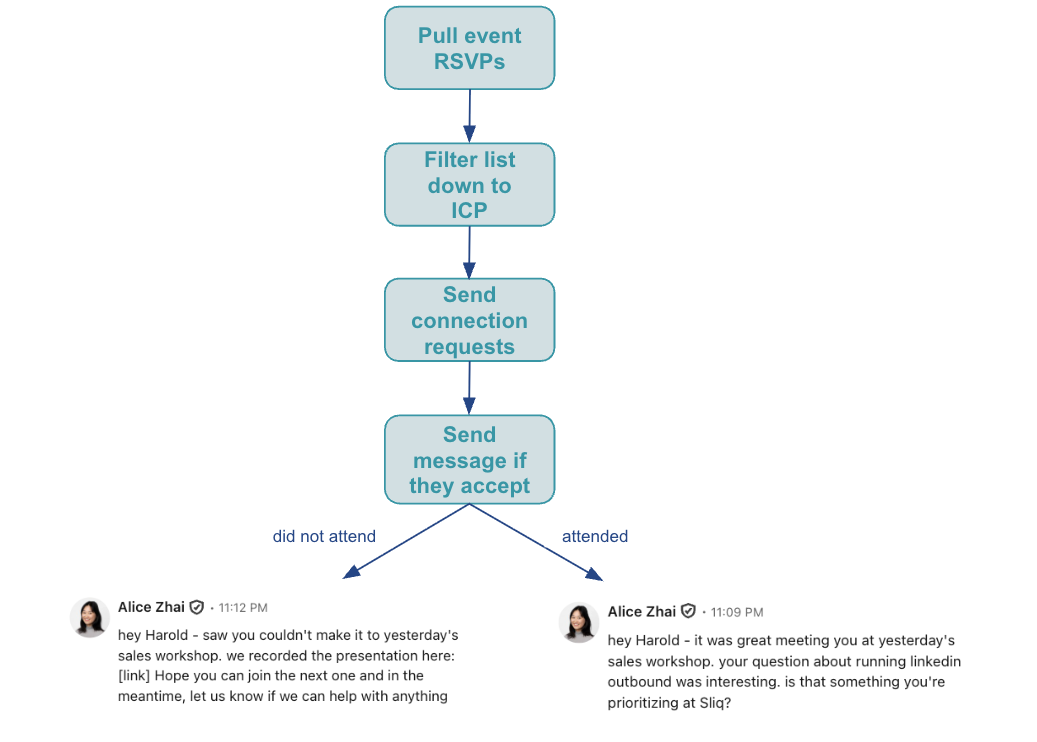
How to automate event follow-up with an AI agent
None of this is hard, but it all has to happen in the days right after an event.
If you use Luma for event management, Sliq connects to it directly. It can pull the full guest list for an event, including who checked in and any answers people gave on the registration form, then split the list by attendance and draft both messages for you to review. If you don't, upload or paste the list instead: Eventbrite and Meetup exports, a Zoom attendee report, or a simple spreadsheet.
Delegate this to a Sliq agent ->
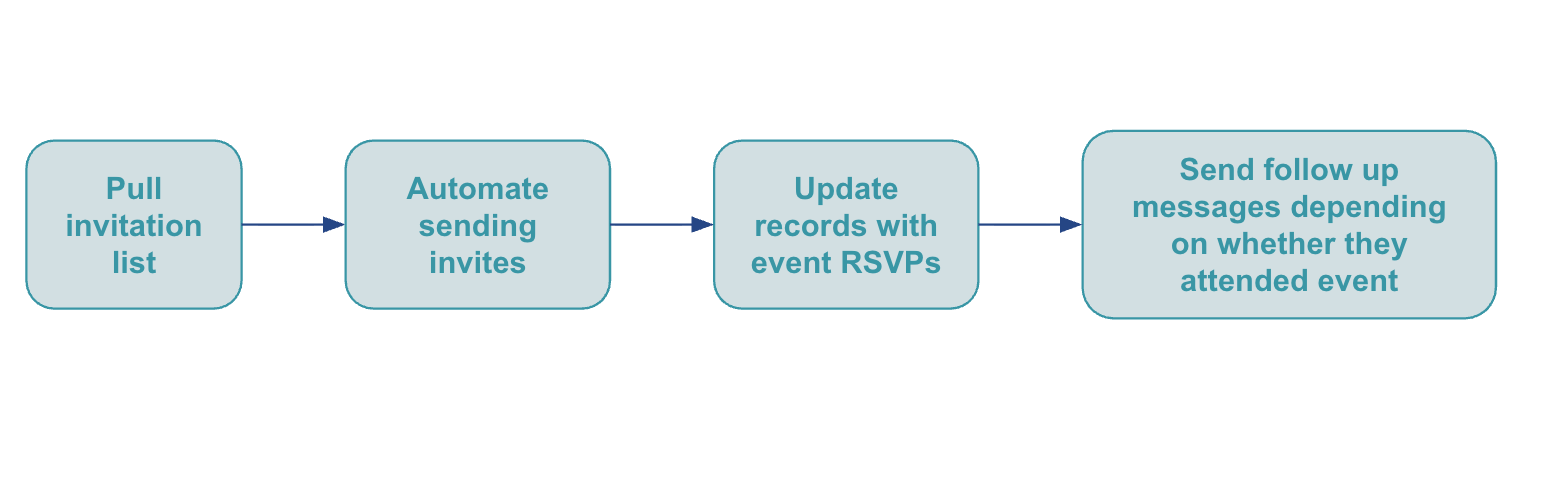
Also when organizing your next event, make sure to 1) collect email addresses and LinkedIn URLs at registration and 2) check people into the event so you know who actually showed up. If you’re planning an event soon, try the other half of this play: invite people and track who registers as registrations come in.
Related workflows
- Best tool to follow up with leads after a conference if you attended someone else's event rather than hosting your own
- Turn LinkedIn post engagement into outreach for another list built from people who already raised their hand
- Email vs LinkedIn outreach to decide which channel each person on the list should get
- Personalize LinkedIn messages if you want openers built on each person's recent posts as well as the event
- Sales prospecting tools for founders
- Browse all GTM plays
Frequently asked questions
What should you send people after an event?
Split the RSVP list by whether they showed up and send two different messages. People who came get a message referencing the event itself. People who registered but couldn't make it get an acknowledgement plus the recording, so the message is still useful to them. Sending both groups the same note is the most common mistake, because half of them will know it doesn't apply to them.
How do you connect Luma to your outreach?
Luma has a public API that exposes the full guest list for an event, including each guest's email, name, approval status, and any answers they gave on the registration form. Sliq connects to it directly, so an agent can pull the guest list for an event and use it to drive outreach, update a tracking sheet, or check who registered without exporting a CSV by hand.
Can you automate event outreach without Luma?
Yes. Upload or paste the list instead, whether it came from Eventbrite, Meetup, a Zoom attendee report, a badge scan, or a spreadsheet from the door. Everything after the list is identical. When you run the next event, collect email addresses and LinkedIn URLs at registration so the list is usable for outreach without an enrichment step afterward.
Last updated: September 2026