
How to Invite Prospects to Your B2B Event With Automated Outbound
Hosting events is a great way to reach a lot of prospects at once and can be an effective sales channel, but that only works if enough people show up. That's difficult if you don't already have a large brand presence or network. To increase attendees, send invitations the way you'd run sales outbound: identify the audience for the event, draft messages to them individually, and run a campaign to send each person their own invitation.
Build the invite list like a prospect list
Start with volume and invite more people than you need. Registration rates might be low, and some people who register won't show up.
Build the list the way you'd build a prospect list, filtered to the event's topic rather than your general ICP. A panel on a narrow technical problem should go to people working on that problem, which is usually a smaller and more specific list than your ICP as a whole. Sliq's Founder-Led Sales Workshop, for example, is more relevant to early-stage founders rather than GTM leaders at midmarket companies.
If your event has limited capacity, rank the list from strongest to weakest fit. You can send invitations gradually, just like an email campaign, so inviting the strongest fits first lets you open the event up to the rest of the list only if you still have room.
Make the invite worth opening
Send the invitation from a real person's mailbox or from your LinkedIn profile rather than a no-reply address. That way the invitation opens a communication channel you can keep using.
Lead with the highest-value part of the event in your message. If there's a hands-on workshop or a Q&A with a compelling speaker, that belongs near the top of the message, not at the bottom.
Hi [name],
I came across your work at [company] and wanted to personally invite you to a panel we're hosting: "[event title]" on [date] in [city].
Confirmed speakers:
- [Name], [title] at [company]
- [Name], [title] at [company]
[One line on why this panel is interesting — the tension, the debate, the thing people disagree about.]
[Date, time, location.] You can register here.
Sync your CRM with the event registrations
This is the part most people do by hand. You invited 300 people; some registered, some replied, and some declined. Reconciling which is which means going back and forth comparing your inbox against event registrations.
Luma is popular event software with APIs available (we promise this isn't sponsored!), which makes it straightforward to connect to Sliq. An agent can pull the full guest list for an event, match those guests against everyone it invited, and update each person's status automatically.
One of our users ran the following workflow end-to-end to invite prospects to a recent panel they hosted:
- Each day Sliq pulled net-new people from their prospect list, sorted them by how well they fit, and emailed the highest ranked prospects first.
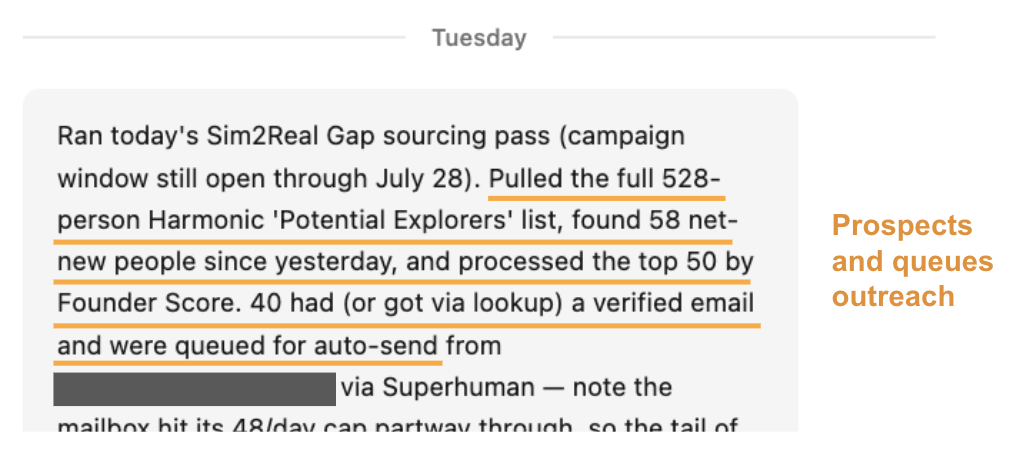
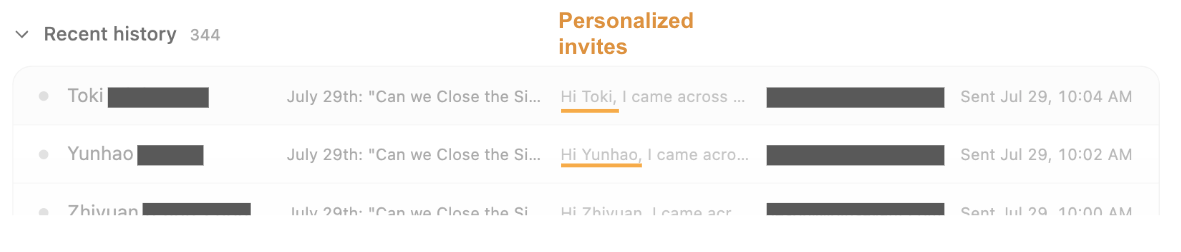
- Sliq sent each person a personalized invite sent via founder's own mailbox.
- Finally Sliq pulled the event's guest list from Luma and matched the guests against everyone it had emailed, flipping each row in their Google Sheets tracker from Invited to Registered or to Responded for anyone who replied to their invitation message.
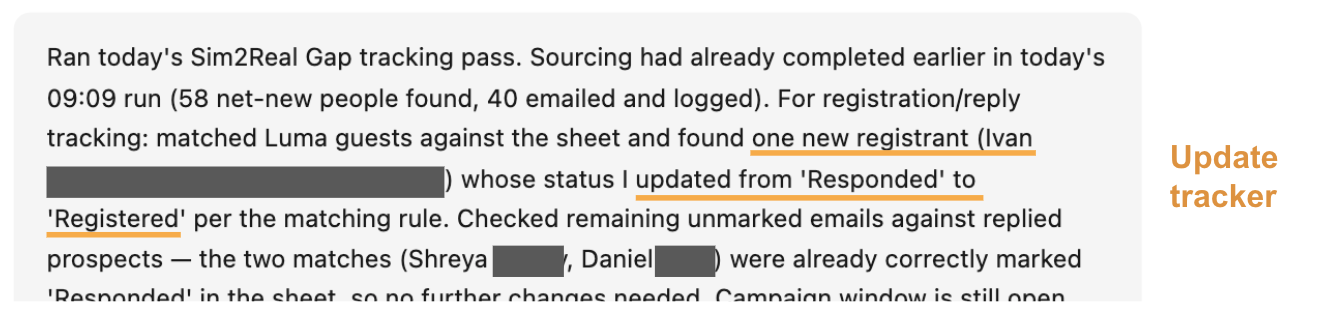
The result is that at any point before the event, they knew who had been invited, who had registered, and who had replied, without anyone maintaining that view by hand. It also tells you when to stop: once registrations cover the room, you can stop inviting rather than discovering you oversold it.
Continue outreach after the event
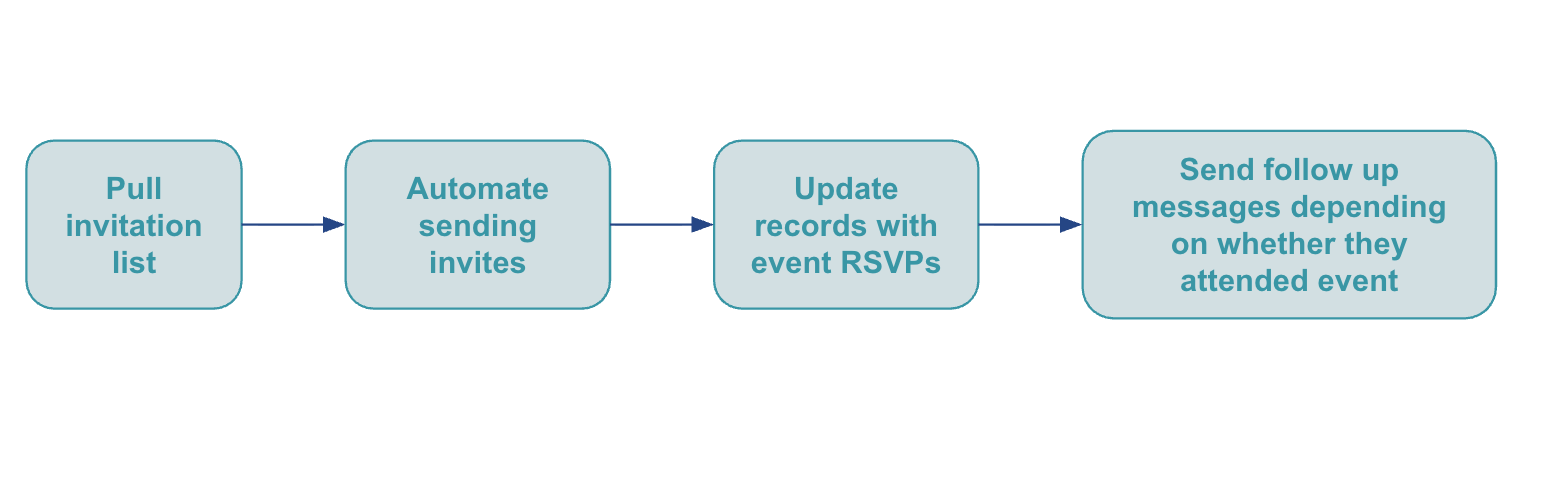
Once the event is over, you can turn those RSVPs into pipeline by following up with individuals in your ICP (including the people who didn't make it).
That's the other half of this play: how to follow up with the people who attended.
In order to easily run outreach after the event, make sure the event registration form asked for attendees’ email address and/or a LinkedIn URL. Those two fields helps you reach people afterwards.
How to automate your event invite campaign with an AI agent
Sliq can source your invite list, send a personalized invite to each person from your mailbox, and update your records with every invitee's status. You approve the invitation message; Sliq handles the sourcing, the sending, and the tracking. Once the event is done, the same agent can run the follow-ups.
If you don't use Luma, upload or paste your invite list and the campaign runs the same way — you just won't get the automatic registration sync, since that comes from the event platform's API.
Delegate this to a Sliq agent ->
Related workflows
- Follow up with the people who attended once the event is over — the same guest list, worked in the other direction
- Going to someone else's conference instead of hosting? Find out who's attending, then book meetings with them before it starts
- Personalize LinkedIn messages if you want to invite people on LinkedIn as well as by email
- Email vs LinkedIn outreach to decide which channel each invitee should get
- Sales prospecting tools for founders
- Browse all GTM plays
Frequently asked questions
How do you get more people to register for your event?
Send invitations the way you'd run sales outbound rather than posting one announcement. Identify the audience for the event's specific topic, invite more people than you need since registration rates are low and some registrants won't show, and send each person their own personalized invite from a real mailbox. Spread the sends across the weeks beforehand so you can keep inviting as registrations come in.
How do you track who registered for your event?
Pull the guest list from your event platform and match it back against the people you invited. Luma exposes its full guest list through a public API, so an agent connected to Sliq can check registrations on a schedule and update each invitee's status automatically, rather than someone reconciling an export against a spreadsheet by hand.
What should an event invite email say?
Name the person's company and why the topic is relevant to them, list the confirmed speakers, and give the date, location, and a registration link. Keep it short and lead with the highest-value part of the event — a hands-on workshop or a Q&A with a compelling speaker belongs near the top, not the bottom. Send it from a real person's mailbox rather than a no-reply address.
Last updated: September 2026