
How to Choose Between Email and LinkedIn for Each Prospect
A LinkedIn DM is only effective if the prospect is an active LinkedIn user. This is the quiet leak in a lot of LinkedIn-first outbound. For people not active on LinkedIn, the right move isn't better messaging. It's a different channel.
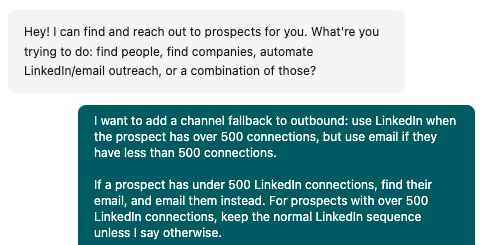
What fixed it for us was routing each prospect to where they actually pay attention. This might be at in-person events, Facebook groups, Reddit, etc, and email is always the fallback option. It's difficult to tell who is less active on LinkedIn, but a simple heuristic is looking at their connections.
Choosing the channel per prospect is an agentic outbound approach: the workflow adapts to the person instead of blasting every lead through the same channel.
Connection count is a fast proxy for "will they see my DM"
People with fewer than about 500 connections are usually light or inactive LinkedIn users. They made a profile years ago and rarely check it; their profile picture is likely outdated or empty. People with 500+ connections care to grow their network and thus tend to be more active: they post, comment, accept requests, and actually read their messages. That makes them much better targets for a DM.
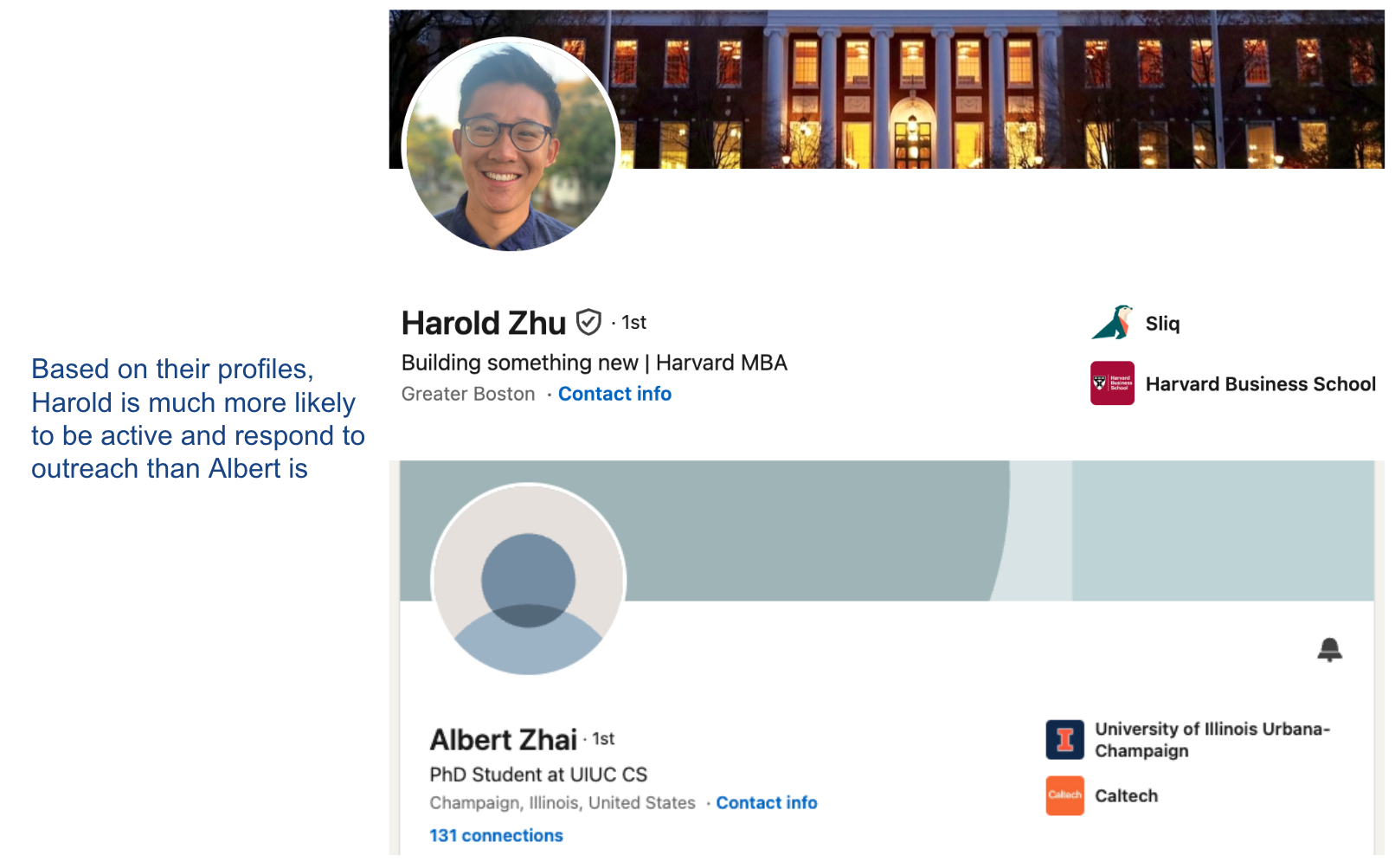
It's not a perfect rule, but it's a fast one as it routes prospects without you having to inspect every profile by hand. (Recent posts and comments are an even stronger activity signal when they're there, but this might limit your volume too much.)
How to automate multi-channel outreach with an AI agent
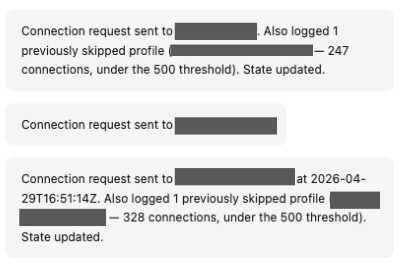
The per-prospect call — active enough to DM, or route to email? — is easy once and exhausting across a few hundred names, which is why most people skip it and just DM everyone. You don't have to do it by hand. A Sliq agent reads each prospect's LinkedIn activity, keeps the active ones on a DM and routes the rest to a verified work email, and sends your same personalized message through whichever channel they actually check.
Delegate this to a Sliq agent ->
Related workflows
- Personalize LinkedIn messages if you want the message itself to feel written for each prospect, on whichever channel it lands
- Fix your LinkedIn outreach if replies are low and you're not sure whether the channel, the message, or the profile is the problem
- Follow up with prospects who said yes but never booked if your issue is the booking stage rather than getting the first reply
- LinkedIn outreach best practices
- Browse all GTM plays
Frequently asked questions
Should I reach out on LinkedIn or by email?
It depends on the prospect, not on a blanket rule. LinkedIn wins when the person is active there, because your profile builds trust before the message lands and a DM is more personal than a cold email. But a DM is worthless if the prospect rarely logs in — it just sits unread. For those people, email is the only channel that reaches them. The right move is to match the channel to where each prospect actually pays attention.
How can I tell if a prospect is active on LinkedIn?
Connection count is a fast, reliable proxy. People with fewer than about 500 connections are usually light or inactive users — they created a profile but don't check it, so a DM is unlikely to be seen. People with 500-plus connections tend to be far more active and more likely to read and reply to a message. Recent posts, comments, or reactions are an even stronger signal, but connection count alone already routes most prospects correctly.
What should I do with prospects who have fewer than 500 LinkedIn connections?
Email them instead of relying on a DM they probably won't see. Find a verified work email, then send the same personalized message you'd have sent on LinkedIn through the channel they actually check. You're not giving up on the prospect — you're reaching them where they pay attention.
Is it better to use one channel or both for outbound?
Use the right channel per prospect rather than blasting both at everyone. Routing — DM the active, email the inactive — keeps each message relevant and avoids looking like you're spraying the same person everywhere. You can still fall back to the second channel later for a specific prospect who didn't respond, but leading with the channel they actually use lifts reply rates more than doubling up.
Last updated: August 2026