
How to Turn Engagement on Your LinkedIn Posts Into Outreach Lists
Most outbound lists are built from demographics — job title, company size, industry. But that tells you little about whether someone actually has a need for what you're selling. We found that the people already engaging with your posts are some of the warmest leads you have.
Why your own engagers are warm
If someone liked or commented on your post, they've made themselves visible to you. It's way more likely they accept your connection request and respond to your DM as you're not a stranger. They likely already have a sense of who you are and what problems you solve.
A quick way to prioritize: commenters over likers. A like is a small nod; a comment means they stopped to say something, which is a stronger signal of interest. Start there.
When an agent keeps watching those signals, filters for fit, and changes the outreach path based on engagement, it becomes agentic outbound rather than a static list pull.
Why the post you pull from matters
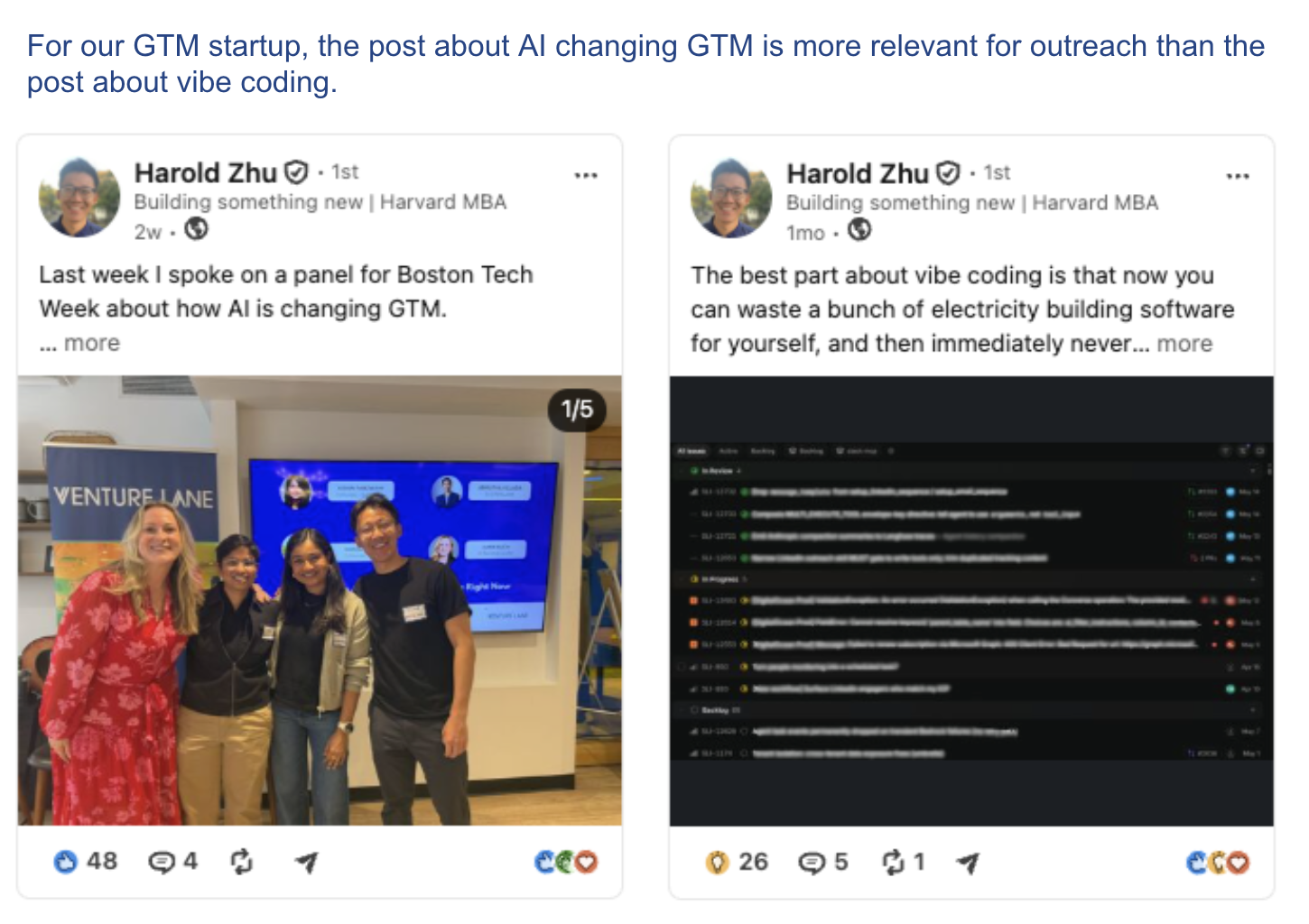
Not every post produces good leads. The topic of the post decides who shows up in the list.
A topical post about the problem you solve pulls people who care about that problem. A generic motivational post pulls people who like motivational content, which tells you nothing about whether they need what you sell. The engagers on your post discussing insights from an industry conference are a very different list from the engagers on your Monday pep talk.
So when you're choosing which post to mine, reach for the ones closest to your problem space. The more on-topic the post, the more your engager list already looks like your ICP and the less filtering you have to do afterward.
How to write the first message
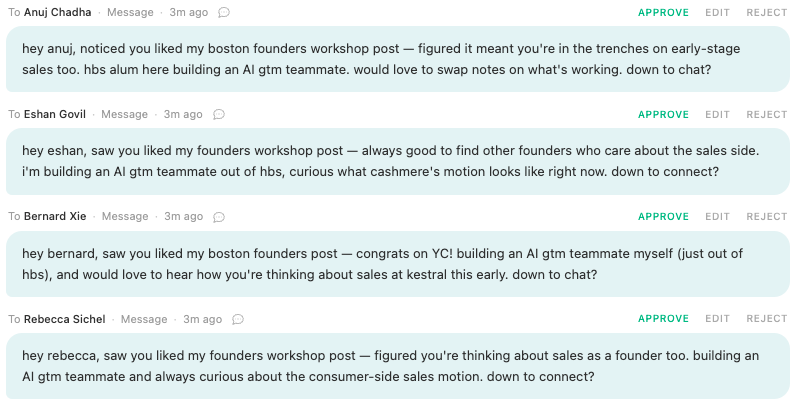
The best part is you don't have to invent a reason to reach out. You can just reference the exact post they engaged with, which is personalization you don't have to dig for. And if you warm up the connection first, you're not even a stranger by the time you message.
How to automate outreach to your post engagers with an AI agent
Rather than manually tracking who engaged with which post, load these people straight into Sliq and let it run the outreach — warm-up, then a message that references the post they engaged with. You can even keep it running, so new people who engage get pulled into the sequence automatically.
Delegate this to a Sliq agent ->
Related workflows
- Build a list from someone else's audience if you don't post much yet — mine the engagers on a creator's, thought leader's, or competitor's posts instead
- Find customers on Reddit for another intent-based source — people already discussing the problem you solve, not a cold demographic list
- Warm up prospects before outreach to engage with a prospect's posts before you message them
- Personalize your LinkedIn messages to turn the post they engaged with into an opener that lands
- LinkedIn automation workflows
- Browse all GTM plays
Frequently asked questions
Should you reach out to people who engage with your LinkedIn posts?
Yes, as long as they fit your ICP. Someone who liked or commented on your post found your take interesting enough to react to — they're already warm toward you and more inclined to chat than a cold demographic match. Prioritize commenters over likers: a like is a small nod, but a comment means they stopped to say something, a stronger signal of interest.
How do you build an outreach list from your own LinkedIn post engagement?
Pull the people who liked or commented on the post, keep the ones that fit your ICP, and reach out by referencing the exact post they engaged with. A Sliq agent pulls the engager list, filters for fit, warms each person up, and drafts a personalized message that opens with the post they reacted to.
Which of your posts produce the best outreach leads?
Topical posts about the problem you solve, not generic motivational ones. People who engage with a post about your problem space are signaling they care about that problem. People who like a "grateful Monday" post are signaling they like motivation — which tells you nothing about whether they need what you sell. The more on-topic the post, the more your engager list looks like your ICP.
Are post engagers better leads than cold lists?
Usually, when the post is relevant. Most cold lists are built from demographics — title, company size, industry — which tell you a person could be a fit but not whether they care about what you do. Post engagers have already shown interest in the topic, so they're more likely to take a meeting, and the message writes itself because you can open by referencing the post they engaged with.
Last updated: August 2026