
How to Personalize LinkedIn Messages That Get Replies
How do you personalize a LinkedIn message?
Build the message around one specific detail that shows it was written only for this person. The strongest detail is usually a post they shared in the last 7 days — it's timely and clearly something they care about. If there's no recent post, pull one detail from research instead: recent company news, a role change, an event or article they were featured in, their About section, or a shared connection. Reference that single detail naturally, and resist cramming in everything you found.
When you message prospects on LinkedIn, you need to be interesting enough to earn a reply. One way to do this is by writing personalized messages and incorporating one detail that indicates the message was written only for them. Here's how to find that detail.
This is one piece of agentic outbound: the message changes based on what the agent learns about the prospect, rather than relying on the same template for everyone.
How to personalize a message using their recent posts
If your prospect has posted in the last 7 days, build your message around that post. This is ideal material because it's timely and clearly something they care about. If you commented on this post earlier, even better — you remind them that you're a familiar face and genuinely interested in them.
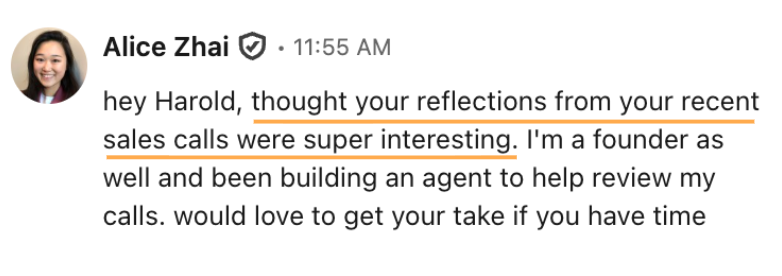
Reference it naturally: a genuine reaction, a question it raised for you, or even how it connects to you. Something like "hey [name], [one genuine reaction to something specific they said in their post]. [one interesting thing about you and what you're building]. would love your take." Rather than flattering them, you engage with their actual ideas.
hey Harold, thought your reflections from your recent sales calls were super interesting. I'm a founder as well and been building an agent to help review my calls. would love to get your take if you have time
hey laura - never thought about retention as an outbound trigger the way you laid it out. i'm building something in this space actually - AI agents that run custom outreach for small sales teams. would love your take
What to personalize when a prospect hasn't posted recently
If they haven't posted lately, switch to research. A few suggestions:
- Recent company news such as a funding round, a product launch, a new hire
- A recent role change or promotion on their profile
- An event, podcast, or article they were featured in
- Their "About" section
- A shared connection, school, or background
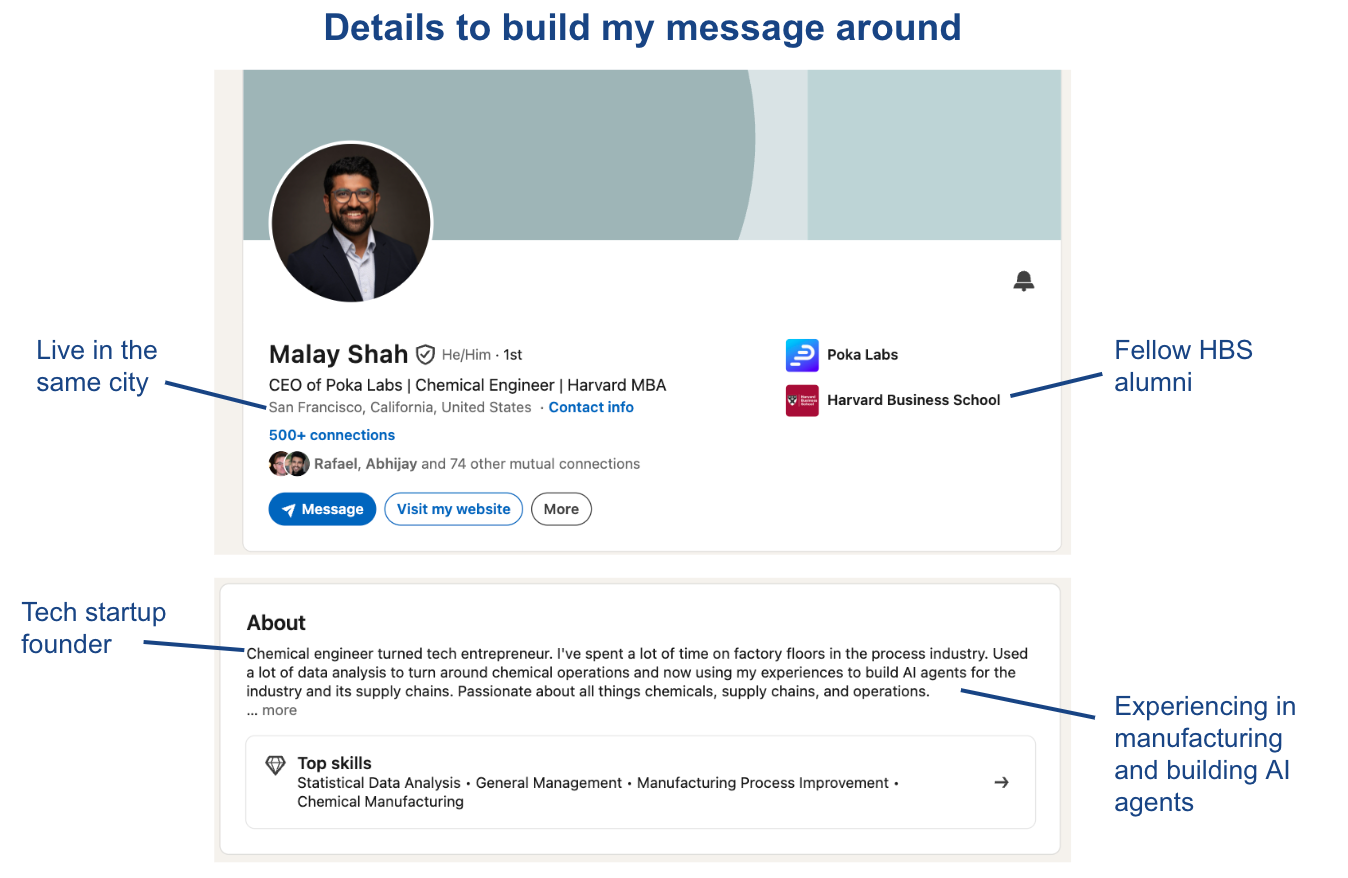
Pull one specific, relevant detail and build your message around it. If you have multiple options, pick the most unique one. The more it sounds like something only you could have written, the better. Resist the urge to cram in every fact you dug up — it doesn't sound as thoughtful or natural.
How to automate LinkedIn message personalization with an AI agent
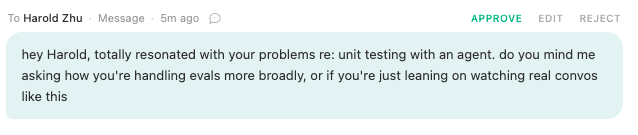
You don't have to research every prospect by hand. Sliq reads each prospect's recent posts and profile, pulls the single best personalization hook, and drafts a message built around that one detail for you to review. You approve, edit, or skip each draft before anything sends, so the personalization stays accurate and sounds like you instead of a mail merge.
Delegate this to a Sliq agent ->
Related workflows
- Warm up prospects before outreach so the post you reference is one you already engaged with
- Reach out to people who engaged with a LinkedIn post since the post they reacted to is a ready-made personalization hook
- Diagnose why your LinkedIn outreach isn't working if personalized messages still aren't getting replies
- How to customize outbound based on the prospect
- Browse all GTM plays
Frequently asked questions
How do you personalize a LinkedIn message?
Build the message around one specific detail that shows it was written only for this person. The strongest detail is usually a post they shared in the last 7 days, because it's timely and clearly something they care about. If there's no recent post, pull one detail from research instead — recent company news, a role change, an event or article they were featured in, their About section, or a shared connection. Reference that single detail naturally and resist cramming in everything you found.
What should you reference in a personalized LinkedIn message?
Reference one genuine, specific detail rather than several. A recent post is the best option: react to an actual idea in it, ask a question it raised, or connect it to what you're building. If there's no recent post, reference recent company news such as a funding round or product launch, a recent promotion or role change, an event, podcast, or article they were featured in, their About section, or a shared connection or background. Pick the most unique detail so the message sounds like something only you could have written.
What if my prospect hasn't posted recently?
Do research instead. Look for recent company news such as a funding round, product launch, or new hire; a recent role change or promotion; an event, podcast, or article they were featured in; their About section; or a shared connection, school, or background. Pull one specific, relevant detail and build the message around it. If you have multiple options, pick the most unique one and resist cramming in every fact you dug up.
Can AI personalize LinkedIn outreach?
Yes. A Sliq agent scans each prospect's recent posts and profile, pulls the single best personalization hook, and drafts a tailored message for each person. You review and approve the drafts before anything is sent, so the personalization stays accurate and sounds like you.
Last updated: August 2026