
How to Warm Up Prospects Before LinkedIn Outreach
As emails have gotten buried with spam, LinkedIn has become our primary sales channel. Aside from improving outreach messages, we suggest warming up prospects to improve your conversion rate.
Warm-up works best as part of a broader agentic outbound motion, where the agent can change the path before a message instead of forcing every prospect through the same sequence.
What does it mean to warm up a prospect on LinkedIn?
Warming up is interacting with a prospect's LinkedIn profile before (and while) you reach out. This typically entails liking their posts, leaving thoughtful comments, and paying attention to what they've shared.
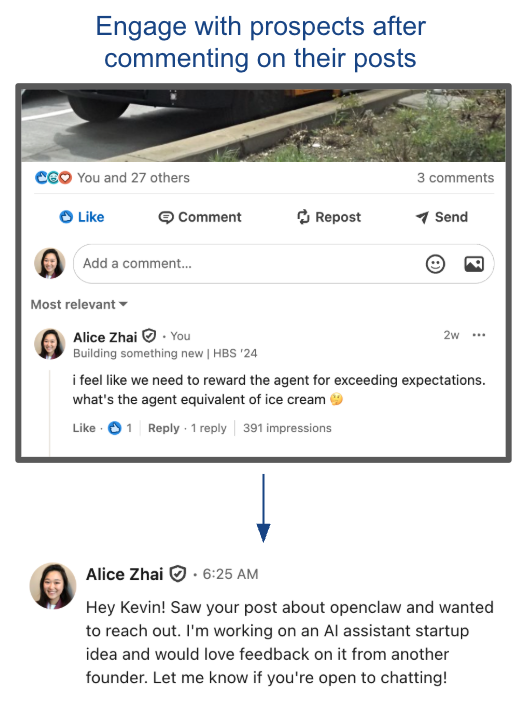
Why does warming up prospects work?
LinkedIn surfaces your name and face to them every time you engage. By the time your connection request or message shows up, you're not a random stranger. You're "the person who commented on my post last week." That small amount of recognition can be the difference between an ignore and an accept.
When should you warm up prospects in your outreach sequence?
You can incorporate "warming up" at any point of your outbound sequence — before sending the connection request, before sending the message, or even while you're waiting for a response.
- If you're seeing low connection request acceptances, initiate warm-up before sending connection requests.
- If you're seeing low message reply rates, insert warm-up before sending a message.
- If you're seeing low meeting booked rates, put the warm-up before you send a follow up.
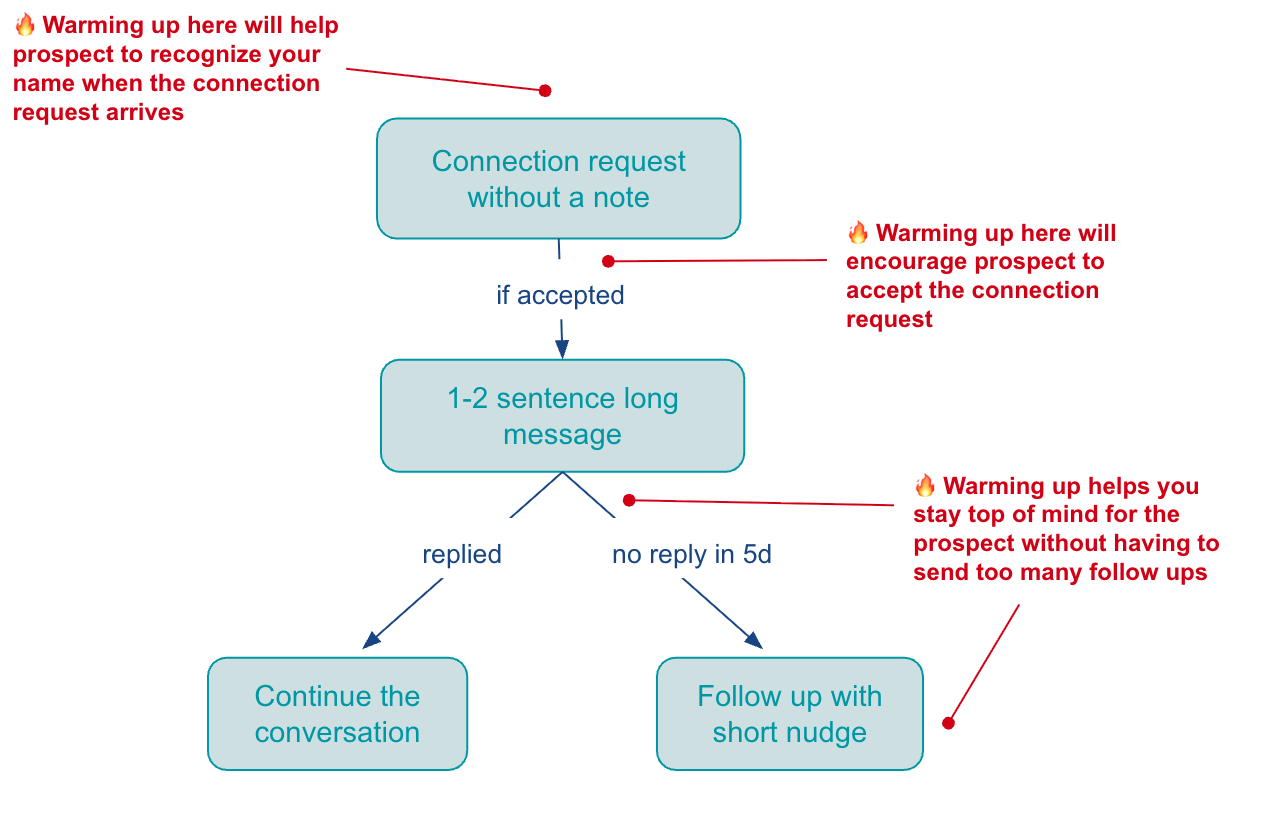
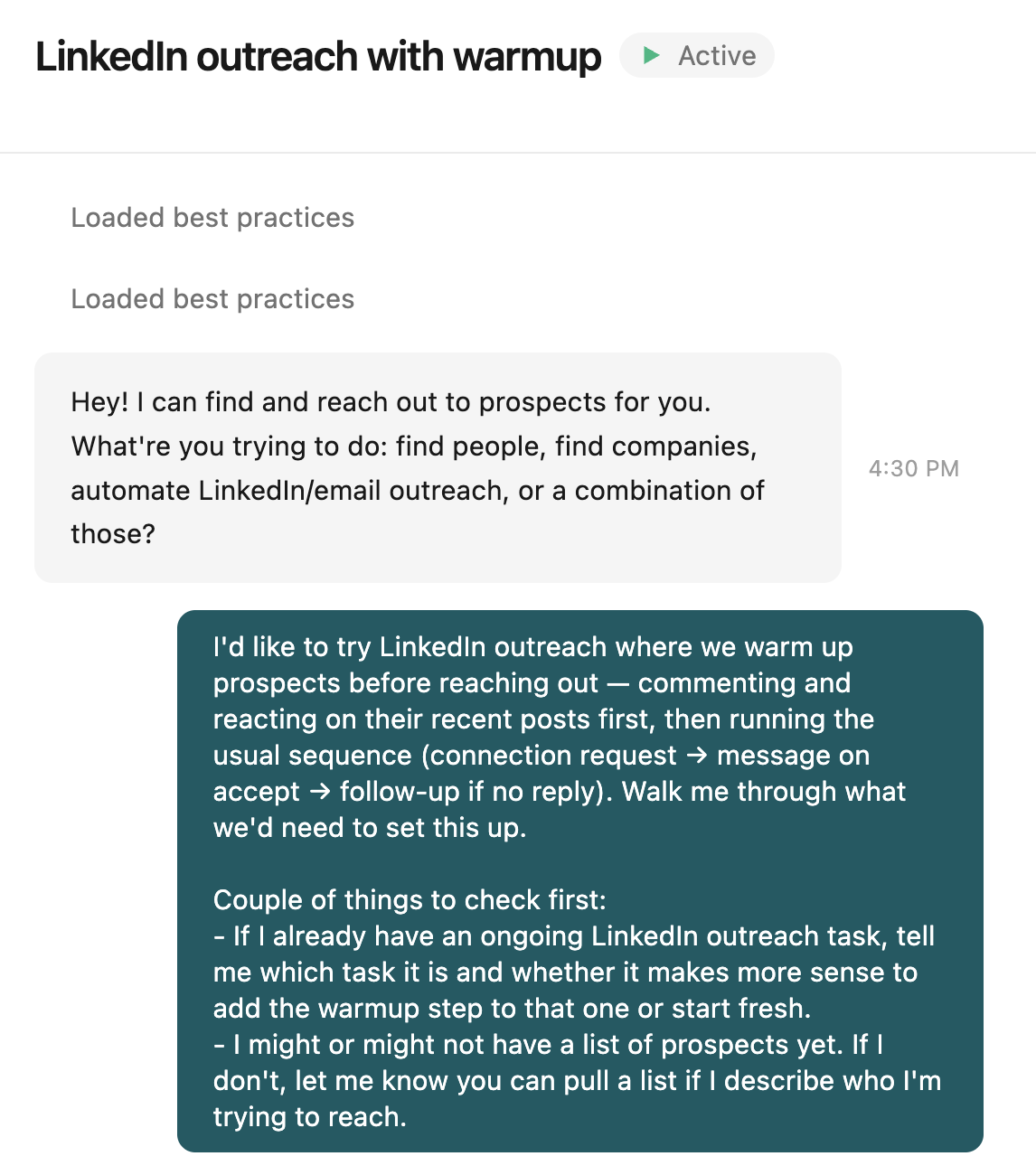
How to automate LinkedIn warm-up with an AI agent
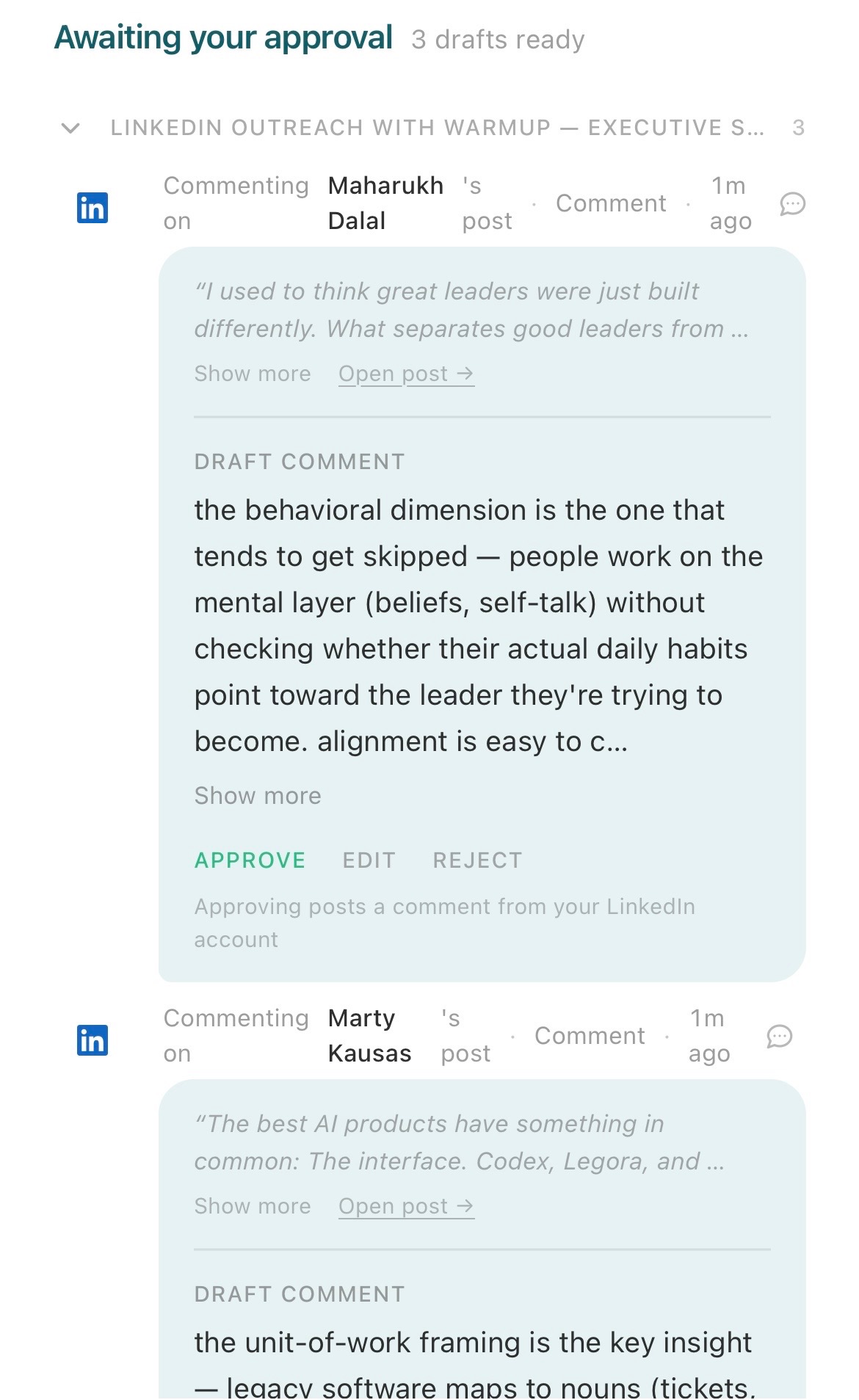
Rather than manually monitoring all your prospects' posts, you can use Sliq to incorporate "warmups" into your LinkedIn sequence. Click here to set it up.
Related workflows
- Diagnose why your LinkedIn outreach isn't working if you need to find which metric the warm-up should target
- Personalize your LinkedIn messages if you want the message that follows the warm-up to land just as well
- Turn LinkedIn post engagement into outreach if you want to reach the people already engaging with your content, warmed up before you ever message them
- LinkedIn outreach best practices
- Browse all GTM plays
Frequently asked questions
What does it mean to warm up a prospect on LinkedIn?
Warming up means interacting with a prospect's LinkedIn profile before and while you reach out — liking their posts, leaving thoughtful comments, and paying attention to what they share. By the time your connection request or message arrives, your name and face are already familiar, so you are not a random stranger.
Does warming up prospects actually improve outreach?
Yes. LinkedIn surfaces your name and face to a prospect every time you engage with their content. That small amount of recognition — being the person who commented on their post last week instead of an unknown name — can be the difference between an ignored request and an accepted one, which improves conversion at each stage of outreach.
When should I warm up prospects in my outreach sequence?
Warm up at the step where your numbers are weakest. If connection request acceptances are low, warm up before sending connection requests. If message reply rates are low, insert warm-up before sending a message. If meeting-booked rates are low, place warm-up before your follow-up. You can incorporate warming up at any point of your outbound sequence.
Can you automate LinkedIn warm-up?
Yes. Rather than manually monitoring every prospect's posts, a Sliq agent watches their LinkedIn activity, drafts thoughtful comments for your review, and inserts warm-up steps into your outreach sequence automatically at the point you choose.
Last updated: August 2026